All moves
Browse every public move people have shared on Stackness.
I used to commit without looking. I'd stage changes, write a message, and push. Then I'd discover I'd left in a pdb breakpoint, or staged a credentials file, or bundled someone else's work into my branch. After the third time I had to force push to undo a bad commit, I started actually reading what I was about to ship. Now I run git diff --cached before every commit. It takes maybe a second per commit, and I catch the thing that will break the build or get called out in review about one commit per week. Sometimes it's a debug print I forgot. Sometimes it's a line count that's way off from what I intended, which usually means I've accidentally pulled in unrelated changes. The command is straightforward: stage what you think belongs, then git diff --cached to see the stat line and the full diff. If something looks wrong, unstage it with git reset and fix it. Only then git commit. I also use git add -p when I'm touching multiple things, which forces me to review line by line as I stage. It does not work when you're in a hurry and you skip the check anyway. And it obviously does not catch logic errors, just the obvious mechanical mistakes. But if you actually do it, you will catch stray files and oversized diffs before they land in the repository.
I used to just let conversations run until Claude started contradicting itself three turns back, which is a great way to debug your own debugging. Then I'd paste the entire mess into a new session and hope it read faster than I type. Spoiler: it didn't, and I'd lose the thread anyway while Claude re-indexed my life story. So now I cap sessions at around 65 percent of the window and write a summary before context gets stale. The summary has to be ruthlessly concrete: what we built, what broke, what the actual code looks like now, what we're trying next. I paste that summary as the first message in the next session instead of pasting twelve turns of my increasingly delirious questions. With Claude Code or Cursor, I just write "---SUMMARY---" in my notes at the midpoint, then force myself to actually write it out. The session ends, I start fresh, paste the summary, and we pick up without me re-explaining why I thought TypeScript generics were optional. The next session stays sharp because the context is distilled, not diluted. The catch is this only works if your summary is actually useful. If you write "continued on the file" and nothing else, you're just making the next session mad at you. Also, some problems genuinely need the full conversation history, especially when you're debugging why someone else's legacy code exists. Summaries help, but they're not magic for gnarly interdependencies.
I used to write end to end tests for everything. Click this button, fill that form, check the result. It felt safe but every test run took forever and when something broke, all I got was a screenshot showing me a blank form or a missing element. Then I'd have to dig through logs to find which function actually failed. The shift was simple: keep the e2e tests only for the flows that would genuinely tank the business if they stopped working. For me that's user signup, payment processing, and core search. Everything else moved down to integration tests with Vitest where I test the actual functions and API endpoints directly. Now my test suite runs in under a minute instead of ten. When a test fails, Vitest tells me exactly which function broke and why, not just that something on the page is wrong. I can verify a complex checkout flow with an integration test that sets up the database, calls the controller, and checks the response in about thirty lines. The honest caveat is that this approach assumes you have good logging and error handling already in place. If your app swallows errors or logs them poorly, you'll miss bugs that e2e tests would have caught. I also still need the handful of e2e tests because screenshots do catch visual regressions and weird browser quirks that integration tests miss entirely.
by Fatima Al-RashidDevOps & Infrastructure
I used to keep prod secrets in encrypted files checked into git. This meant every deploy required decryption, every env had its own schema, and one careless moment leaked everything. The cognitive load was constant. I moved to the pattern where only env var names live in version control. I commit a .env.example that lists what keys must exist, nothing more. All actual values come from the runtime environment. For local dev I use direnv to load from a .env file that git ignores. For production, Vercel handles injection directly in the UI. Running direnv allow in a project directory loads the .env automatically whenever you cd into it. The.env.example file stays lean: API_KEY=, DATABASE_URL=, AUTH_SECRET=. If someone forks the repo, they see the shape of what they need without seeing actual values. A leaked .env.example is just a checklist. This breaks down in teams that refuse to use direnv or need secrets in CI/CD systems that don't integrate cleanly. If your pipeline expects files instead of environment variables, you end up bolting on an extra layer anyway. But for anything touching Docker or serverless platforms, this approach removes a whole category of mistakes.
by StacknessAI Toolsbackdated
Describing what you want, accepting what the model writes and iterating on the result without reading much of it. Andrej Karpathy named it in February 2025.
I used to commit whatever was staged, which sounds efficient until you realize that efficiency in the wrong direction just means you commit faster. I'd push a branch with three test files still in there, or a package-lock.json file I never meant to touch, or worse: a five hundred line refactor when I'd sworn I was only fixing the bug. The commit would land, someone would ask why that one change was in there, and I'd have to squint at GitHub and pretend I had a reason. So now I run git diff --stat before every single commit. It takes about one second. I read through the stat line, check the file count, verify the numbers make sense for what I thought I was doing, and then I commit. That's it. The tool is just git. The discipline is knowing that one second now saves five minutes of explaining later. The concrete detail is the stat line itself. git diff --stat shows you file names and the number of added and deleted lines in a tiny ASCII chart. If I see a node_modules change or a lockfile in there, I know I'm about to make a mistake. If I see a file I don't recognize, I stop and figure out why it's there. If the numbers don't match my intent, I unstage and re-sort what I'm actually committing. The caveat is that this only works if you're committing conscious changes. If you're in the middle of a refactor where you're genuinely touching forty files at once, the stat line won't save you. You still need to have structured your work so that you know what belongs together. This is a safety rail, not a strategy.
Before I adopted multi-stage builds, my Go service images were bloated. I'd compile everything inside the container, and then ship the entire build layer to production. The image sat around 800 megabytes because it contained the Go toolchain, git, and every build dependency. That meant every deployment pulled that extra weight, and every running container exposed toolchain binaries that had no business being in production. I restructured my Dockerfile to build in one stage and copy only the final binary into a fresh stage. The first stage does all the compilation work with all the heavy dependencies available. Then I use a FROM scratch or FROM alpine:latest for the final stage, and I COPY --from=builder /app/service /service. The resulting image drops to about 30 megabytes for a typical CLI tool or microservice. Here's the concrete shift: my build stage runs RUN go build -o /app/service . with the full Go installation present, but the runtime stage starts from scratch and only contains that single statically-compiled binary. No source code, no build cache, no compiler. The attack surface shrinks because there is literally nothing left to exploit except the binary itself. The caveat is that this approach works cleanly for statically-compiled binaries, which Go excels at, but falls apart if you need runtime dependencies or configuration files. If your service needs shared libraries or certificate bundles, you have to explicitly copy those into the final stage too, which adds back some size and complexity. It is not a universal solution for all container workflows.
by StacknessLLMsbackdated
Deciding what a model should see and in what order: which files, which history, which tools. The successor argument to prompt engineering, once the context window stopped being the scarce part. The working rule, in Anthropic's words: find "the smallest possible set of high-signal tokens that maximize the likelihood of some desired outcome". What it is Context engineering treats everything a model reads on a turn as one budget: the system prompt, tool definitions, instruction files such as AGENTS.md or CLAUDE.md, skills, retrieved files, tool output and the conversation so far. The term caught on in June 2025, when Shopify's Tobi Lütke wrote that he preferred it to "prompt engineering" and Andrej Karpathy added "+1". The case for it is context rot: recall falls as the window fills, so Anthropic calls context "a finite resource with diminishing marginal returns". How to do it Sort every instruction by when it has to load. Rules that apply to nearly every task go in AGENTS.md or CLAUDE.md, procedures with a clear trigger go in a skill, and rules that must hold every time go in a hook or a permission, since a model can skip prose. The layer guide covers the split. Keep always-on files short: every line is re-read on every request. Google's Harness2 tells its editor "ALWAYS-ON PROSE IS THE EXPENSIVE OPTION" and to try a skill, a script or a subagent first. Write down what the code cannot show: conventions that differ from tool defaults, why a constraint exists, how to build and test. Let the agent find structure with grep and file reads, the "just in time" retrieval Anthropic describes. Name a skill in AGENTS.md when it has to run. In Vercel's evals, an unprompted skill was never invoked in 56% of cases and added nothing over no docs. Hand noisy searches to a subagent and start a fresh session between topics; treat the context window as scarce covers the session side. Judge a change by cost per finished task, not by tokens removed. When it helps It helps when an agent repeats a mistake one written convention would prevent, when long sessions lose quality, when token bills grow faster than output, and when a team switches agents: Claude Code, Codex, GitHub Copilot, Zed, Cline, Kilo Code and OpenCode all read AGENTS.md. Pitfalls More context is not better. A February 2026 study found that context files "do not generally improve task success rates, while increasing inference cost by over 20% on average". Repository overviews did not help; instructions about non-standard practices did. The right file still matters. In OpenStation's October 2026 test, deleting 168,000 lines of code comments changed nothing, while removing AGENTS.md and the docs cost 2.6 of 23 points, on conventions the file spelled out. See what deleting the comments measured. Shrinking context can raise the bill. In one July 2026 study, the heaviest compression cut tool-output tokens by 38.4% and raised billed cost by 6.8%, through extra retrieval, testing and turns. Stale context is worse than missing context: it produces confident mistakes, not questions. A loop that tunes context for you can rewrite your rules: Harness2's editor may edit its own guardrails file. Keep must-hold rules in hooks or permissions. Related moves Document system architecture and intent explicitly as agents write more code Package domain workflows as reusable agent skills
I used to ship whatever I built first. The vibe coded version would go straight to production, and then I'd spend weeks untangling it because the code was optimized for speed, not clarity. Claude and I would just keep patching things, and eventually I couldn't even remember why certain decisions got made. Then I started treating prototypes like actual disposable prototypes instead of secret first drafts. I build the thing fast with Claude, get it working, understand what I actually need, then I start completely over with a real spec. The second version gets written deliberately with the person who'll maintain it in mind. It's weird but it works. When I start the rewrite I always run vercel env pull first to make sure I have the actual production config, then I'm building from a fresh Next.js template and a spec that's just a few sentences about what this needs to do and why. The prototype taught me what the thing should be, and now the real code gets to be what it should look like. The caveat is that this only works if the prototype is actually fast to build. If it takes you two weeks to prototype something, rewriting it from scratch is going to feel ridiculous. This technique is for the stuff where you can throw together a real working version in a day or two, learn what you need to learn, and then do it right.
Before I adopted conventional commits, my git log was a graveyard of "fix stuff", "updates", and "wip". When it came time to cut a release, I'd manually sift through months of commits trying to figure out what actually changed for users. Worse, when I needed to bisect a regression, reading commit messages from six months ago felt like archaeological work because nobody had bothered to say whether a commit was a breaking change, a bug fix, or just a refactor. I started structuring every commit as type(scope): subject where type is one of feat, fix, refactor, docs, chore, or perf. The scope is optional but specific: auth, api, cli. This took maybe two weeks to internalize as muscle memory. Now when I'm in the middle of a bisect and land on a commit, I can immediately tell whether it was a behavioral change or a code cleanup without reading the body. The real payoff arrives when GitHub Actions runs after a merge to main. A simple script parses commit types, groups them, and generates release notes automatically. I've set up a workflow that counts feat commits for minor versions, fix commits for patches, and any breaking change in the commit footer for major versions. No more sitting in a release meeting trying to remember what we shipped. The caveat is that this only works if your team actually follows the convention, and if you're rebasing frequently in a chaotic codebase, you'll spend time cleaning up commit messages anyway. Squash merging can also obscure individual commits, so you lose the benefit during bisect. It's less powerful than a proper changelog file, but it beats starting from nothing.
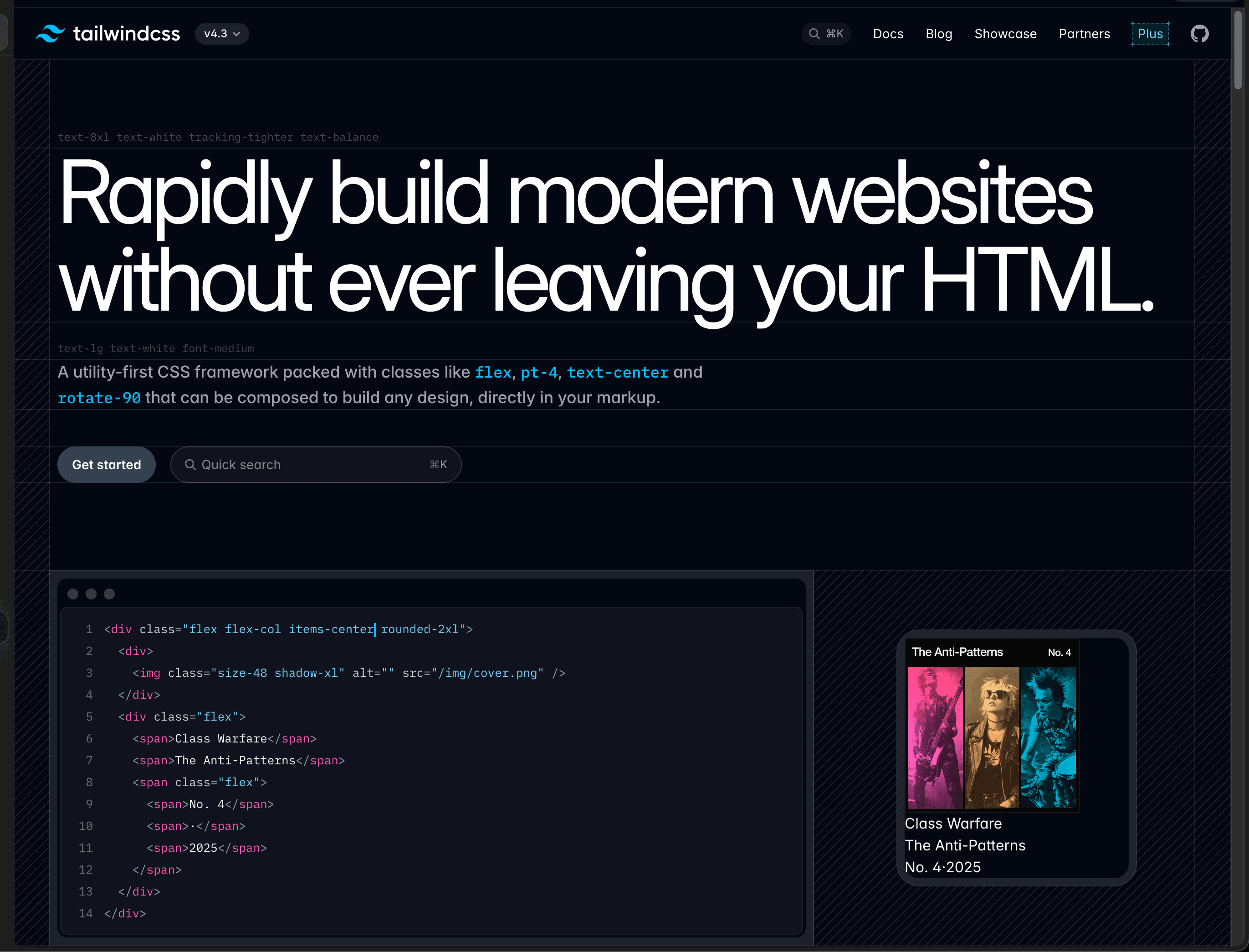
by Sergei GordeichukLanguages & Frameworksbackdated
Utility-first CSS has been a game changer for our team's velocity. Inspired by @sarah_chen
by StacknessAI Toolsbackdated
Handing a model a goal, a repository and a set of tools, then reviewing the diff it comes back with rather than the keystrokes that produced it.
by StacknessLLMsbackdated
Fetching the relevant documents at question time and putting them in the model's context, instead of relying on what the weights happen to remember.
by StacknessLLMsbackdated
Treating the wording of a model's instructions as an engineering artifact worth versioning, testing and reviewing rather than something typed once and forgotten.
by StacknessAI Toolsbackdated
Inline completions and chat from a model that has read the file you are in. GitHub Copilot's 2021 preview is where it stopped being a demo and became a daily habit.
by StacknessDevOps & Infrastructurebackdated
Reaching for managed functions and hosted services before provisioning a server, and paying per request instead of per hour.
by StacknessDevOps & Infrastructurebackdated
One repository for many projects, with shared tooling and atomic cross-project changes. Google and Facebook's internal practice reached everyone else through a generation of build tools.
by StacknessMiscbackdated
The whole team at one screen, one driver at a time, rotating on a timer. It grew out of pair programming and stayed a minority practice with a devoted following.
by StacknessDevOps & Infrastructurebackdated
Splitting one deployable application into many small services with their own data and their own release cadence, and paying for it in network calls and operational surface.
by StacknessDevOps & Infrastructurebackdated
Servers, networks and clusters declared in files that live in the repository and are applied by a tool, rather than clicked together by hand and remembered by whoever was on shift.