OpenCode 2.0 background service and the Codex daemon: what a resident coding agent changes and how to turn it off
Tools in this post


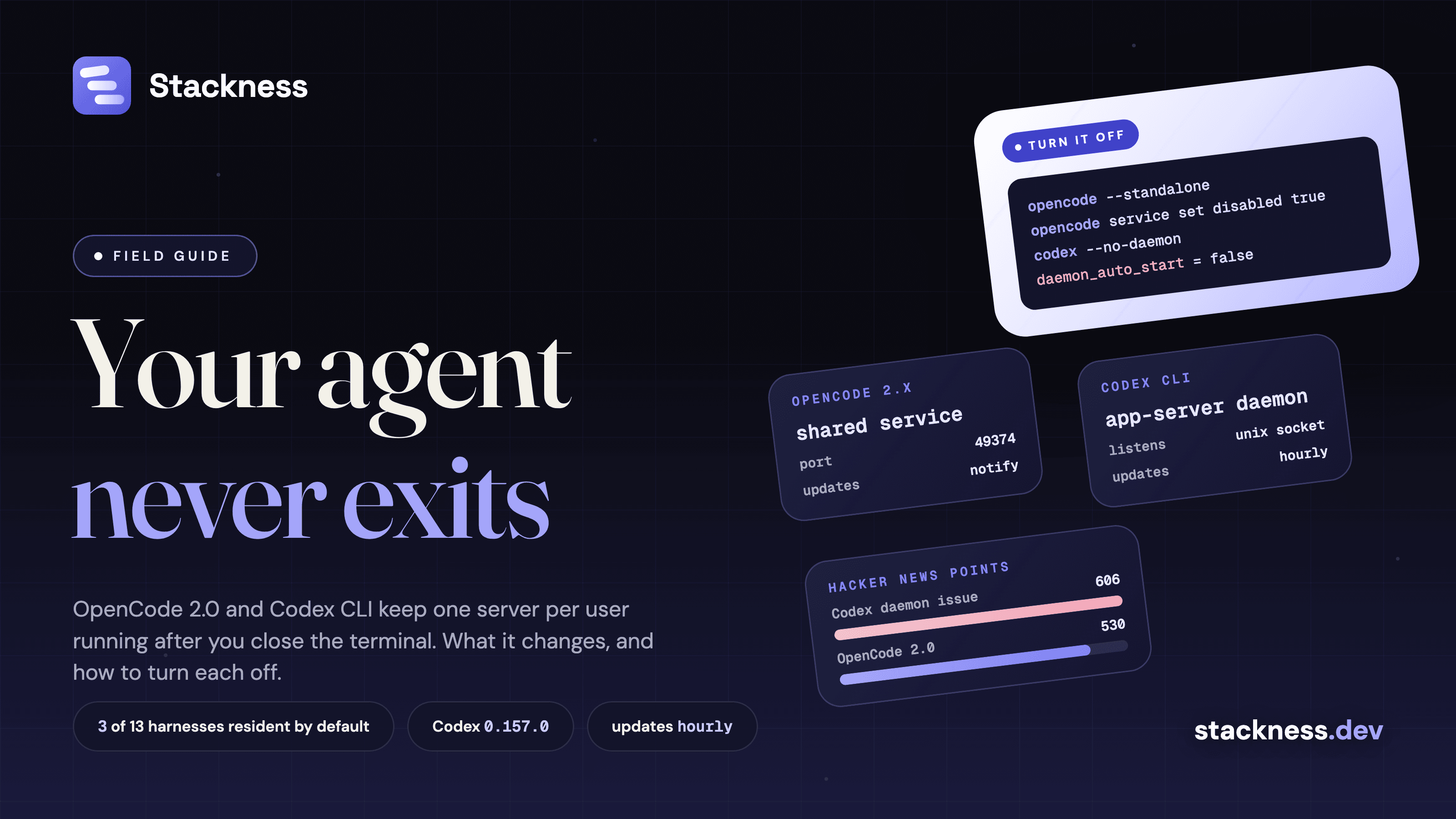
The OpenCode 2.0 background service is one per-user server that every OpenCode client connects to, and it keeps running after you close the terminal. It owns your sessions, permissions and tool execution. OpenCode made it the default with the 2.0 upgrade that Anomaly announced on 12 October 2026. Codex CLI did the same in version 0.157.0 on 25 September, and the issue asking OpenAI to make it opt-in reached 606 points on Hacker News by 15 October. Both can be turned off: opencode --standalone or opencode service set disabled true for OpenCode, daemon_auto_start = false or --no-daemon for Codex.
What is the OpenCode 2.0 background service?
The OpenCode 2.0 background service is a local HTTP server that the first OpenCode client starts and every later client reuses: the terminal UI, the web UI, the desktop app and scripts. The docs say it "owns sessions, configuration, integrations, permissions, and tool execution". Your terminal window becomes one client among several, and closing it disconnects that client without stopping the work.
OpenCode had a client and server from the start, but only power users ran the server on purpose. In 2.0, in Anomaly's words, "this server now automatically runs as a single background process on your machine". The 2.0.0 package appeared on npm on 11 September. The announcement and the opencode upgrade --major path from 1.x came a month later, and 2.0.29 was current on 14 October.
The details, from the web docs and troubleshooting page:
- It listens on localhost only, on port 49374 (45278 on Windows), behind a generated password.
- It registers itself in
~/.local/state/opencode/service.json, and keeps its sessions in~/.local/share/opencode/opencode.db. - Its docs describe no login item and its source has no launchd or systemd code, so it starts the first time a client needs it, not at boot.
- It does not update itself by default: the
updatesetting defaults to"notify", and an installed update waits for a manual restart (config docs).
One Service.ensure() call, every client on the same sessions
Any program can attach to the service the same way OpenCode's own apps do. Service.ensure() from @opencode/client returns the running service, starting one if needed and replacing one from another version. This example, condensed from the announcement, starts a session from a script, and the session then shows up in the terminal and web UIs:
import { OpenCode } from "@opencode/client"
import { Service } from "@opencode/client/service"
const endpoint = await Service.ensure()
const client = OpenCode.make({ baseUrl: endpoint.url, headers: Service.headers(endpoint) })
const session = await client.session.create({ location: { directory: process.cwd() } })
await client.session.prompt({ sessionID: session.id, text: "Review the current changes" })
opencode pair prints one-time links, valid for five minutes, that sign a browser or phone in to the same server. opencode pair --remote exposes it to the internet through a tunnel, after a confirmation prompt.
Codex CLI's daemon also updates itself every hour
Codex CLI's daemon works the same way and adds an updater. OpenAI added daemon_auto_start as an opt-in experiment on 17 September (#46117), turned it on by default five days later (#47179) and shipped it in 0.157.0. It is still on by default in 0.162.1, released on 9 October and the current stable version on 15 October.
An OpenAI engineer explained the change on 30 September: agents now start and manage other sessions, so all terminal sessions "remote" to one background app server, which "gives them all a unified view of which threads are actively running". The daemon's README adds what issue #48195 complained about:
- It runs detached, tracked by a pidfile, until you stop it or reboot. There is no launchd or systemd unit.
- Its updater checks five minutes after start and then hourly, downloads new releases and restarts the server, so active or queued work "may be interrupted" after a 60-second grace period.
- It keeps the environment of whichever session started it: "per-client environment isolation is not provided".
- It copies its own binaries, about 374 MB per release on the reporter's machine, into
~/.codex/packages/app-server-daemon/, separate from the copy your package manager installed.
As of 15 October, no OpenAI employee had replied on #48195. A fix that prunes old daemon releases was merged on 14 October and is not in a stable release yet.
A resident service buys shared sessions and background work
A resident agent service lets work continue when no window is open, and lets several clients see the same sessions. In OpenCode 2.0 that means background subagents and shell commands (Ctrl+B moves running work there), the web UI and desktop app on the same session, and scheduled scripts that find the service without configuration. For Codex, OpenAI names "background work that continues after the CLI exits" and the codex agents command center, which does not run with --no-daemon.
I found no startup benchmark from either vendor. The one number I found is from the maintainer of a permissions wrapper for OpenCode, who measured 2 to 4 seconds per service boot when running OpenCode with --standalone. Their conclusion: the daemon's advantages "are almost entirely multi-client and always-on features", and for one terminal session per start, "almost none of them apply".
The daemon moves tool calls outside your sandbox
The main risk of a background coding agent is that your old boundaries stop applying. If you wrap the OpenCode terminal UI in a sandbox, tool calls now run in the service, outside it. One Hacker News user found web fetches they meant to block "were succeeding" for a day or two. The fix is --standalone inside the sandbox. The agent sandbox comparison covers the sandboxes themselves.
Three more trade-offs, each reported by users:
- Runs nobody watches. Issue #52206 on OpenCode 2.0.18 describes sessions that keep running and spending tokens after the window closes, and permission prompts that fire with no client attached to answer them.
- An update channel outside your package manager. A Homebrew Codex 0.160.0 ran a daemon from a downloaded 0.161.0 (#51961). One Windows user reports that McAfee blocks the hourly updater's PowerShell script as fileless malware (#53778).
- A listening server for longer. OpenCode's v2 server is password-protected and local-only. Its v1 server had two 2026 CVEs, an unauthenticated server that ran shell commands for any local process or website (CVE-2026-22812) and a web UI XSS that led to command execution (CVE-2026-22813), both fixed. Codex's daemon listens on a Unix socket, not a TCP port.
Memory is a smaller cost. One user measured an idle OpenCode v2 beta service at 700 to 780 MB (#42271), on a pre-release build.
Which coding agent harnesses still run only while the command runs?
Most coding agent harnesses still exit with the command. Of the ones I checked on 15 October 2026, three start a resident service at every interactive launch: OpenCode 2.x, Codex and Cline. Claude Code and Kilo Code have a daemon too, but start it only for specific features or when you ask.
| Harness | Process model | Source |
|---|---|---|
| OpenCode 2.x | Resident by default; --standalone per run |
CLI docs |
| Codex CLI 0.157.0+ | Resident by default, with an hourly updater; --no-daemon per run |
CLI reference |
| Claude Code | Per command; a supervisor starts when you first background a session or open agent view | Agent view docs |
| Cline CLI 3.0 | Starts its hub daemon in the background at launch, except in yolo and sandbox modes; the first session runs in-process | CLI reference, source |
| Kilo Code CLI | Attaches to a daemon if you started one | Runtime docs |
| Gemini CLI, Aider, Pi, GitHub Copilot CLI | Per command | Vendor docs and source |
| Cursor CLI | Per command; long work moves to a cloud agent | Cursor CLI docs |
| Amp, Goose, Crush | Per command; a server or runner mode is opt-in | Vendor docs and source |
Claude Code stops idle background sessions after about an hour, and disableAgentView or CLAUDE_CODE_DISABLE_AGENT_VIEW keeps the supervisor from starting at all. The harness explainer covers what else differs between these AI coding tools.
Who needs the daemon and who can skip it
The daemon pays off if you run agents from more than one place: a long task started in the terminal and checked from a phone, scheduled scripts that drive the agent, or several sessions you want in one list. It costs you if you run one session at a time, in a sandbox, on a machine where your company controls what updates and when.
On Stackness, as of 15 October 2026, 8 public profiles list Claude Code, 2 list OpenCode and 2 list OpenAI Codex, after removing bot accounts (data sources). The sample is too small to say how many of them now run a resident service.
Where to start with a background coding agent
Check what is running, then decide per tool:
opencode service status                   # OpenCode
ps aux | grep -i "codex app-server"       # Codex
claude daemon status                      # Claude Code
To turn OpenCode's service off, run opencode service set disabled true, which also stops it (opencode service unset disabled reverses it), or pass --standalone for a single run. Always use --standalone inside a sandbox.
To turn Codex's daemon off, the reporter of #48195 used these four steps. daemon stop leaves the updater loop running, which is why the third line is there:
codex features disable daemon_auto_start
codex app-server daemon stop
pkill -f 'app-server daemon pid-update-loop'
rm -rf ~/.codex/packages/app-server-daemon
The first line writes daemon_auto_start = false under [features] in ~/.codex/config.toml. The setting does not detach a session from a daemon that is already running (#48778), so stop the daemon too. To keep the daemon and stop only the self-updates, set "updater": { "autoUpdateEnabled": false } in ~/.codex/app-server-daemon/settings.json.
Coding agent daemons in brief
- Login items: neither OpenCode nor Codex installs a launchd or systemd unit; both start again the next time a client needs them.
- Admin policy: Codex documents pinning feature flags in
requirements.toml, but its docs do not namedaemon_auto_start. OpenCode's switch is per user. - Environment: both services keep the environment of the shell that started them, so an
exportin a new terminal does not reach a running service.
Which of these do you use?
Nobody on Stackness runs Cline yet. Tick what you use and be the first.